A small kitchen
without overspending
Renovation ideas
Prepare videos, manage YouTube channels
and publish from one CASTERI workspace
For lead generation teams and people building their own projects
You decide where to take your audience
CASTERI organizes your video workflow
Publish videos for people who need a specific service and invite them to discuss their project on Telegram
“Planning a renovation? Send us a message and tell us about your project”
These are use cases, not promises of results — leads, subscriptions and sales depend on your content and offer
Add your source files and configure batch processing in Companion
Your videosChoose channels, prepare your posts and set a schedule
CASTERITrack the queue and the status of every video in one place
YouTubeInvite viewers to Telegram and connect with your new audience
Your projectWhat is scheduled, what is publishing,
what needs attention — without
a dozen open tabs
 CASTERI workspacePublishing overview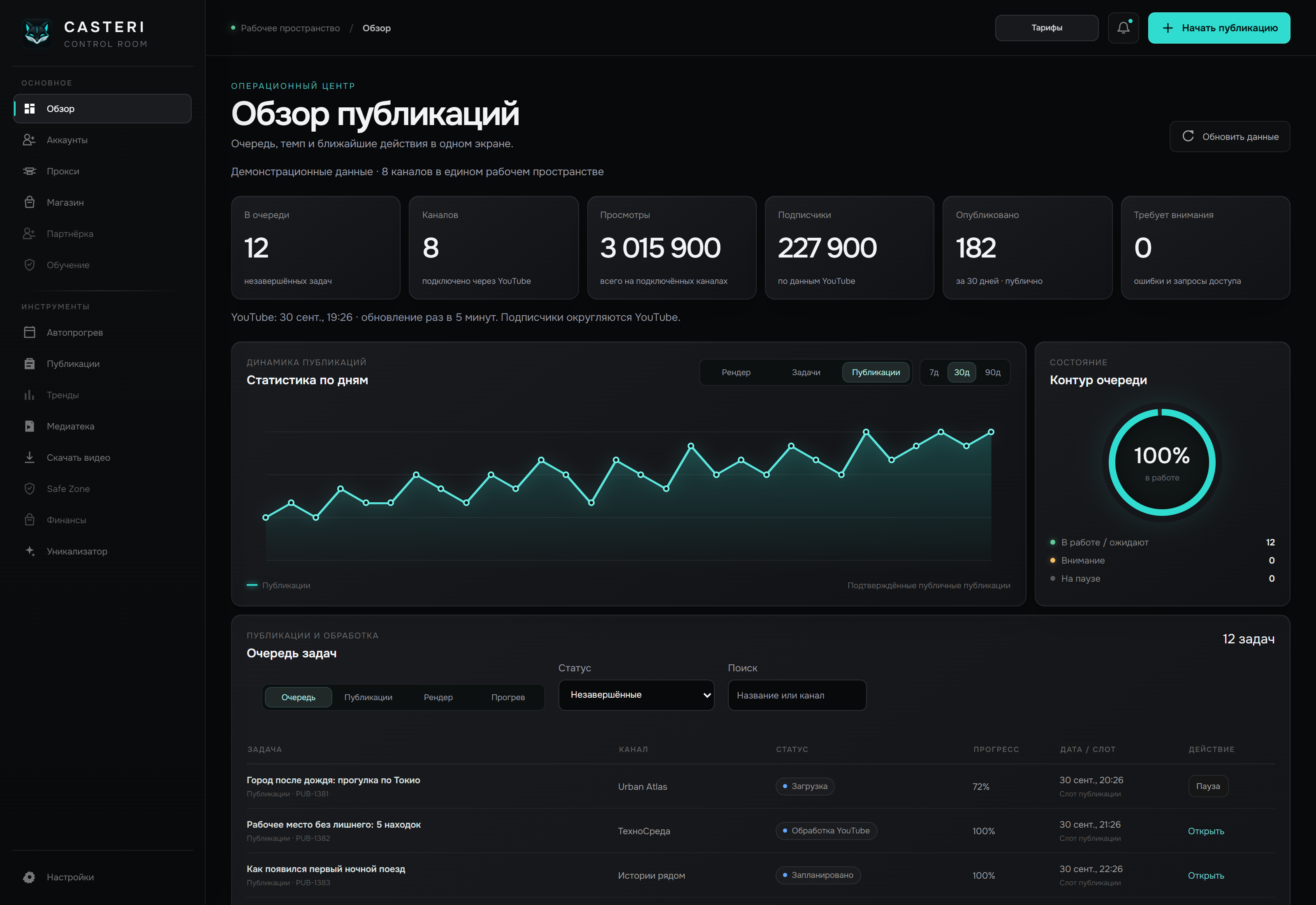
An overview of your network
A clear publishing order
Statuses that need your attention
Build a repeatable process from your source file to a prepared post
Keep videos in your media library and find source files alongside your posts
Create technical video variations and run local processing in Companion
Choose the channel, time and video details, then follow its status
Manage tasks in your browser — Companion runs them on your computer, from downloading source videos to processing and publishing on YouTube
Choose an operation to see how it works
More about CompanionCompanionOn your computerAdd a link, choose a format and save the source video locally for your next task
Run several content projects at once while keeping the context of each channel separate
Every tool in every plan
Choose the number of channels and profiles
For getting started with a small channel network
$39 for 1 month
Up to 5 YouTube channels
For a growing channel network and regular publishing
$69 for 1 month
Up to 50 YouTube channels
For large-scale work with many channels
$99 for 1 month
Up to 250 YouTube channels
Choose a plan and activate a test subscription in your account. Real payments are not connected yet.
CASTERI brings video preparation, YouTube channel management, a media library, schedules and the publishing queue together. You can see the state of your workflows in one place
CASTERI helps you organize videos and publishing. You configure your offer, the journey to Telegram, lead handling and sales in your own project. Results depend on your content and audience interest
It is a local application for your computer. It runs supported video preparation and batch processing tasks and connects them to the CASTERI web panel
In CASTERI, you work with channels and posts from a shared workspace: choose your material, channel and schedule. Connect your channels and configure the required working environment before publishing
Select “Get started” and confirm your sign-in through Telegram. Then choose a plan in your account, connect Companion and set up your channels. Real payments are not connected yet — test subscription activation is available
Bring your publishing into one system
And focus on where it takes your audience